mooniac58
-
Posts
897 -
Joined
-
Last visited
-
Days Won
12
Content Type
Profiles
Forums
Blogs
Gallery
Downloads
Events
Store
Everything posted by mooniac58
-
As we are still in the final phases of migration to a new server it could be some kind of system perimssions on the machine. Once the support team wraps up the migration I will sort out kinks like this. Hang tight but it could be 24 hours or so.
-

Ads returned after annual donation (July 2021)
mooniac58 replied to Bolter's topic in Bug Reports & Suggestions
Sorry guys - it should be fixed now. I changed a setting in Google AdSense and apparently it overrode my code that disables ads for supporters. EDIT: Also note that you may have to do a "force refresh" in your browser to make the ads go away - on PC this is Ctrl-F5 keys. Usually just hitting the refresh button works as well. -
That looks pretty similar to the font sizes I see on my PC or phone. Unfortunately I don't have a way to increase your font size without doing it to all users of the site. Are you using Safari or another browser on your iPad? Some browsers have a way for you to increase font sizes locally on your end.
-
@gacoon - What is the OS/Browser you are using? If I have access to that combo I can try to test for you. I have tested the feature on a few browsers on PC and on my Android phone. It is not a huge increase in font size but noticable. Note that nothing about the font size is related to the people that develop IPBoard, our forum software. What caused the change in font size was that I loaded in two new 3rd party design themes (a dark and light setup). The font sizes are just the default size for these themes. I have full control over those sizes in the settings for the theme. Also note that the feature I mentioned only increases the font size for "user posted data" such as what you are reading right here. It does not alter the size for menus, or other layout elements. I have modified the themes just now to increase all fonts on the site by 10%. Hopefully this helped some?
-
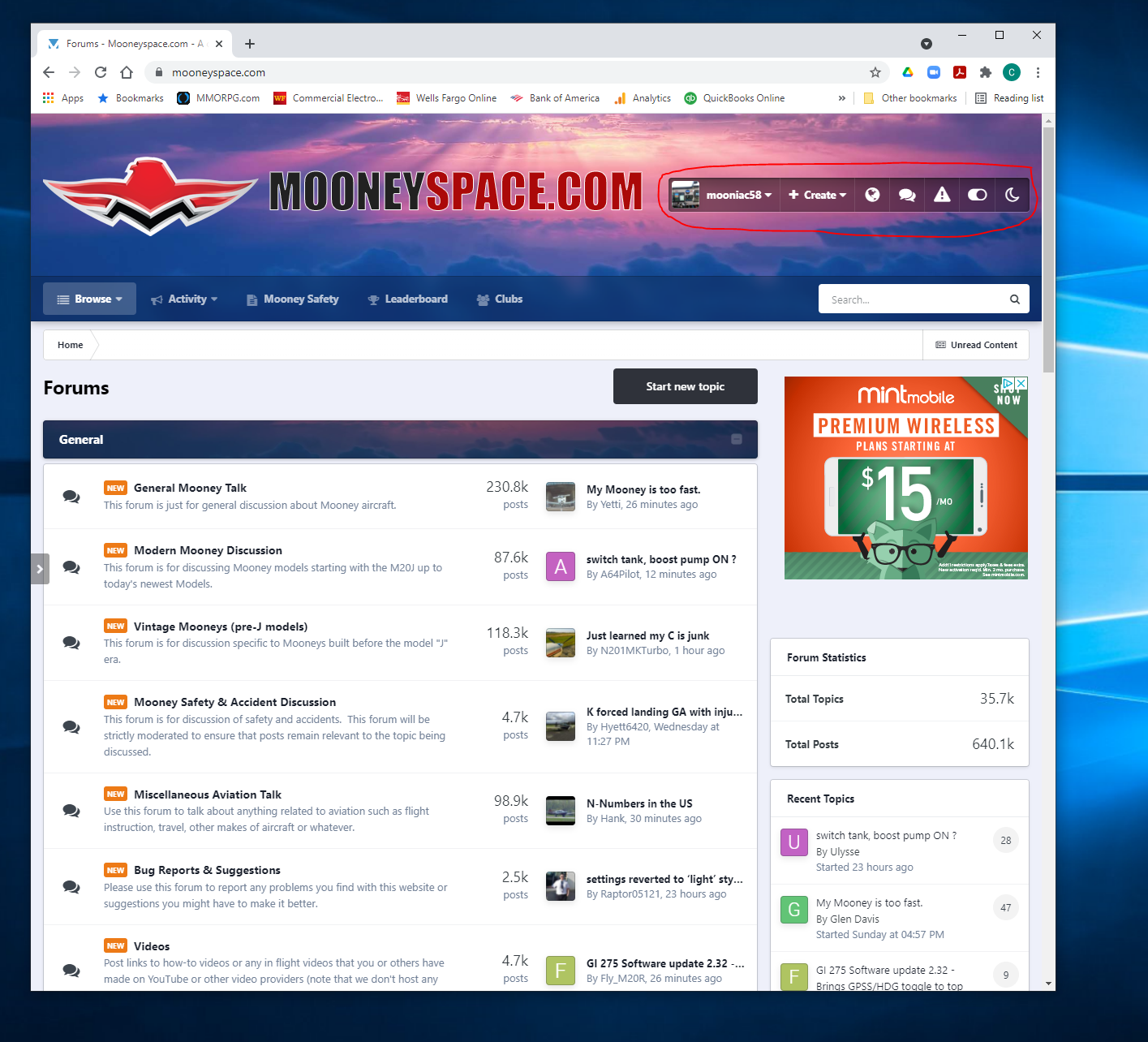
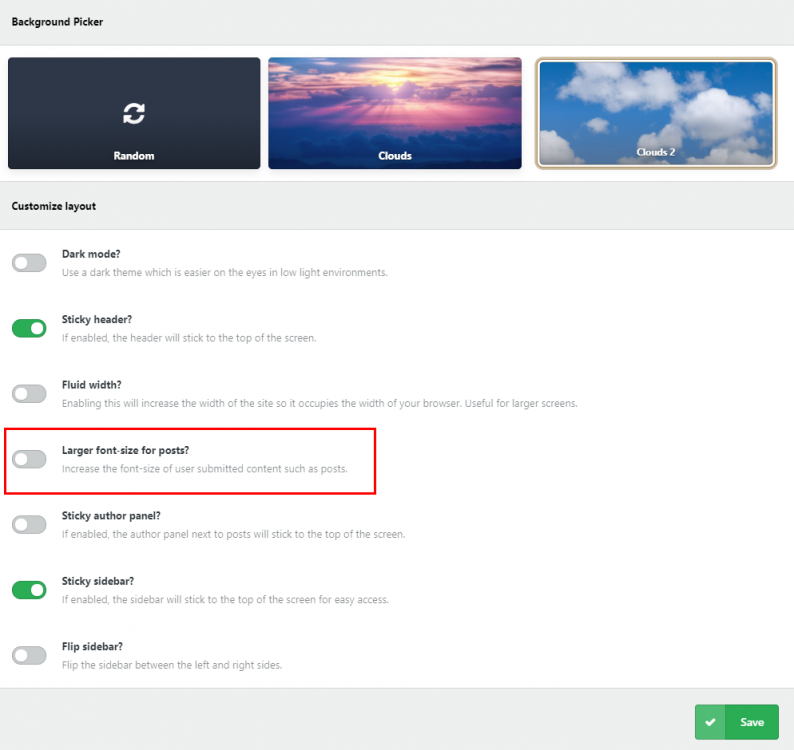
At the top right of the page you will see the toolbar with your username on it. Click the icon that looks like a little "slider" - in this you will see various options. One of them is "Larger Font Sizes for Posts?" - turn that on. It will of course remember your selection on future visits from the same device. Hope that helps!

-
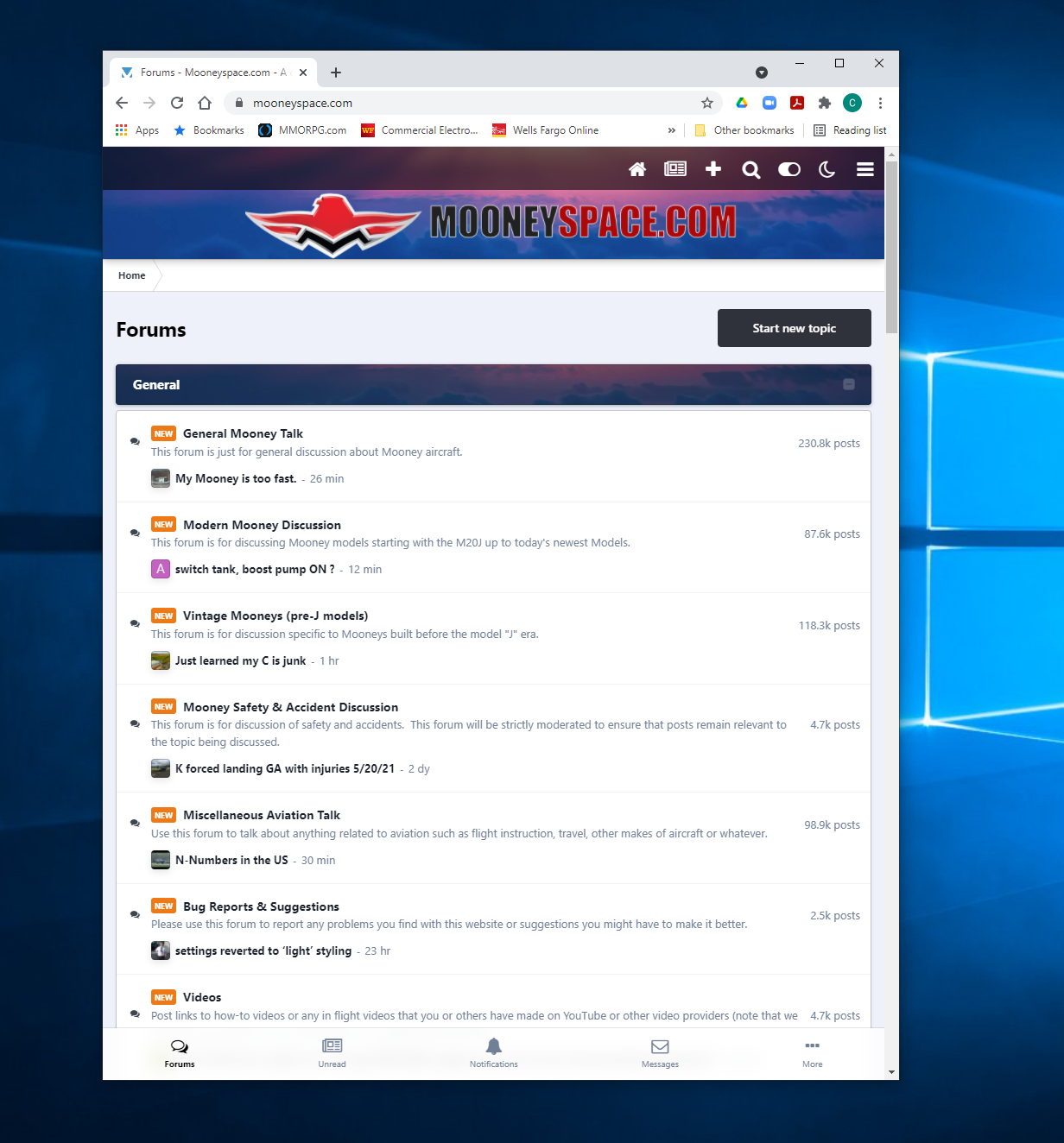
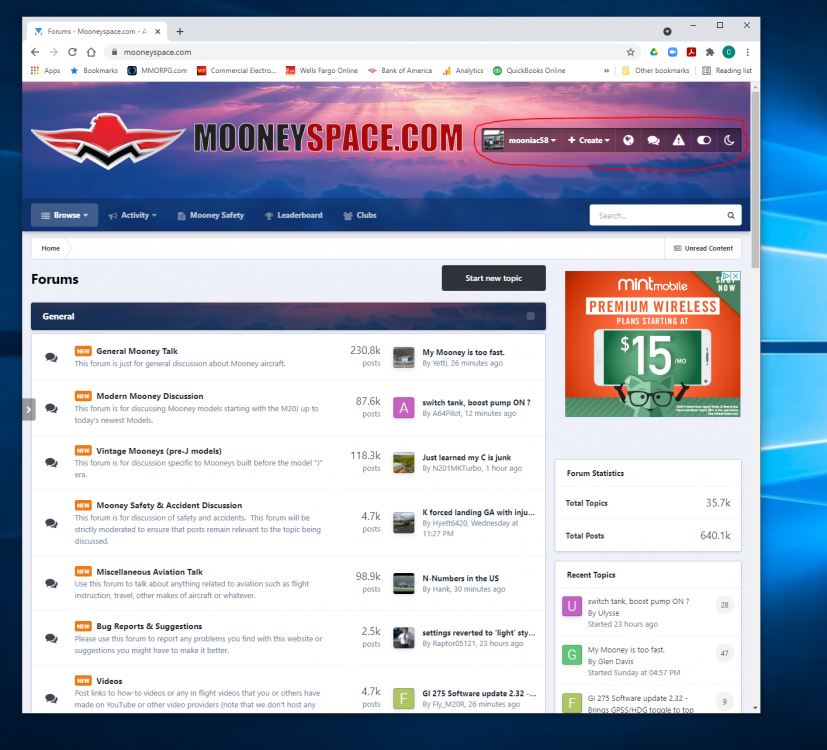
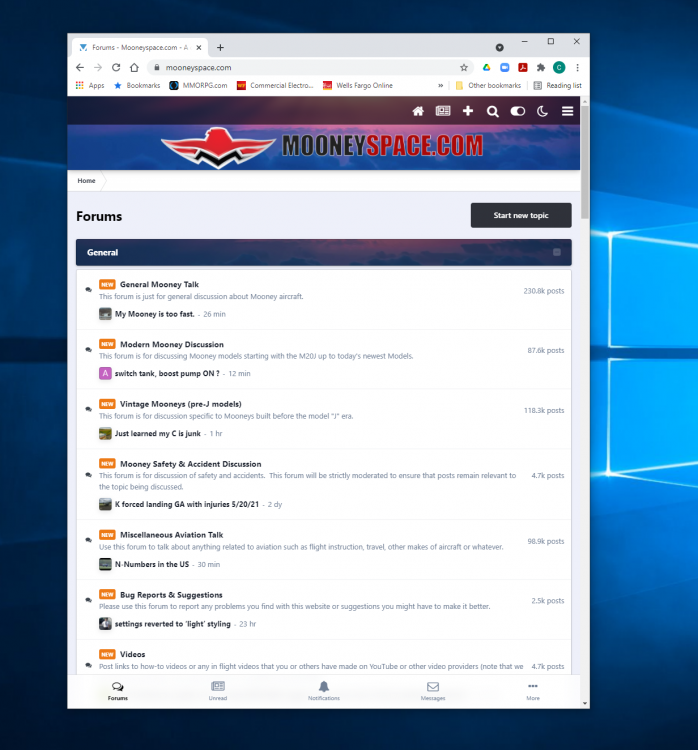
Yep, what Hank said. The "burger bars" are used to collapse/condense a set of menu items/icons into an expandable menu for smaller devices (phones). Since your iPad has a nice big screen they are not necessary and you get the icons instead. Even on a desktop if you take a non-maximized browser window and start making the window smaller, at one point the icons will be replaced with burger bars. This is because the site design is responsive to available screen size. You can see this below:
-
Hello all! A few days back I decided to upgrade to the newest version of our forum software (IPBoard) because it addressed a lot of security issues that could not be closed up any other way. Usually I hold off on updates on any device/system for a long while because it tends to break things. Well in this case of course it did just that. Apparently it broke the Tapatalk application link as well as messed up a bunch of things in the old theme (what gives the look and feel and user interface to a site) as well. I fixed the Tapatalk issue yesterday and last night I purchased some new themes for the site and did a hasty setup on them and got them online. Because of this things look a little different and things have moved around. If you explore a bit you should be able to find what you are looking for as the theme does not remove the core features it mostly is just styling and layout. One of the cool new things in this version of the forums is something they call "gamification" - which is basically just a way to give merit to users for posting, visiting often and helping other members out. You will see little badges next to member names showing this. There are some other things under the hood that should make the site run smoother as well. This was a major update for us it brought us to a new "major" version so with this will likely come bugs. They have already release 2 minor updates since this major release that is only 2 weeks old. Let me know if you see anything quirky and I can pass it on to the folks at IPBoard. Also, we now have two identical and clean light/dark themes for the site. It is easy to switch between these by clicking the moon/light bulb icon at the top right of the site. We had a dark theme before but it was never really good - I think users that prefer a darker design will like the new one much more. EDIT: I also just added a profile field for "Base" which you can now set your home airport ID. If you look left at my profile you will see "KSAF" for mine. To set this just click your username at the top of the site, then "Profile" and on the next page click the "Edit Profile" button. Thank you for your support of these great community! Craig
- 19 replies
-
- 11
-

-

-
Yeah I had to update to a newer version of our forum software (IPBoard) for security reasons. Along with that upgrade we had issues with the old themes as they were not compatible. I am going to make a general announcement about it now.
-
Click where I circled in red on your capture. When you click on those 3 dots it should give you a delete option.

-
Please send me a screen shot of your post. Also say what OS and browser you are using.
-
settings reverted to ‘light’ styling
mooniac58 replied to dominikos's topic in Bug Reports & Suggestions
Ask and you shall receive! There are now two completely new themes for Mooneyspace. The default is light and if you look for the little "moon" icon at the upper right of the site you can switch to the dark version. Let me know what you think -
settings reverted to ‘light’ styling
mooniac58 replied to dominikos's topic in Bug Reports & Suggestions
I should be able to purchase a dark theme from a theme developer. IPBoard does not have a built in dark theme. -
settings reverted to ‘light’ styling
mooniac58 replied to dominikos's topic in Bug Reports & Suggestions
The dark theme was not compatible with the latest update to the site so I had to remove it. I will keep my eye out for a dark based theme that will work. Yes, the new reputation system is pretty cool -
Try now. I have basically forced all users to the same theme. There used to be options to select different themes and now everyone should be on a new clean theme for the new version of the site. Let me know if you see the hamburger bars next to the logo now
-
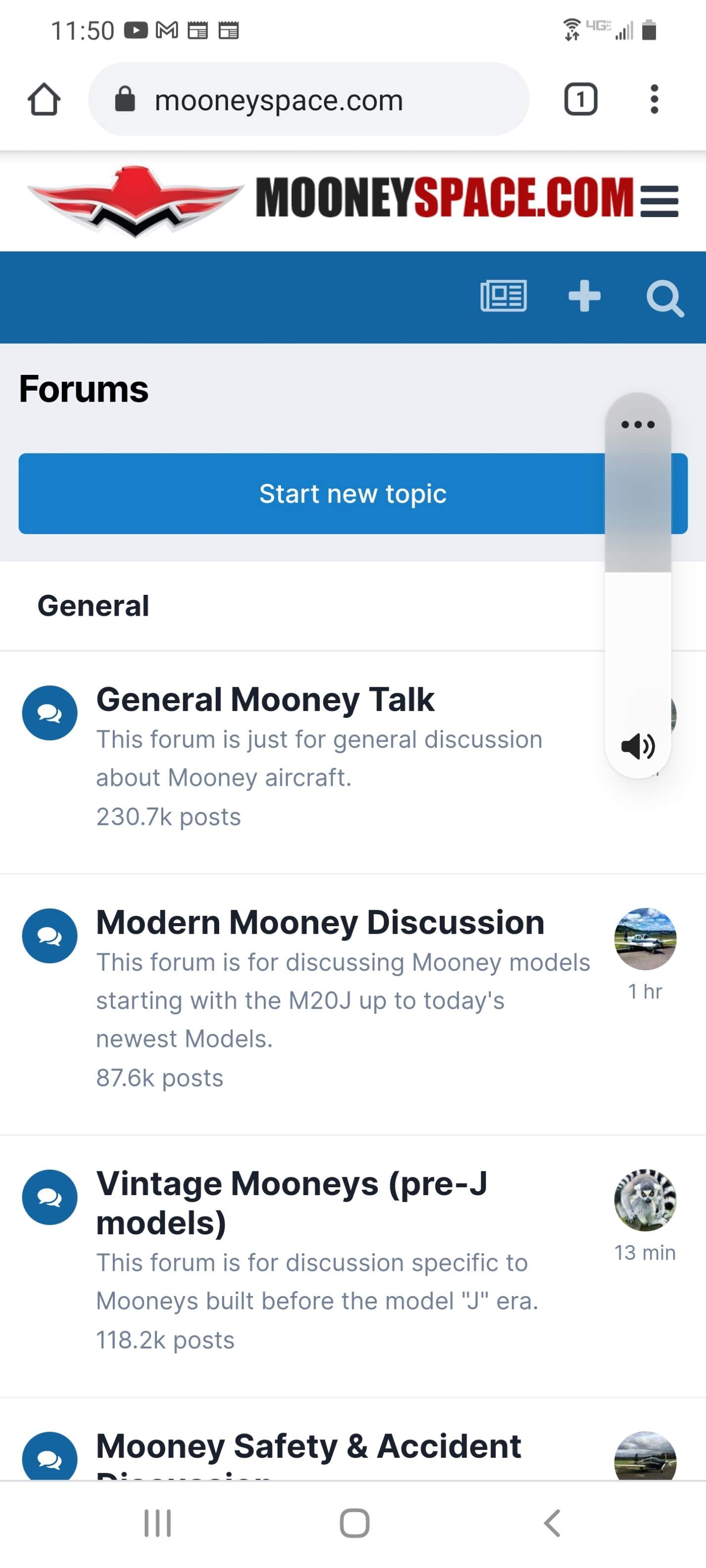
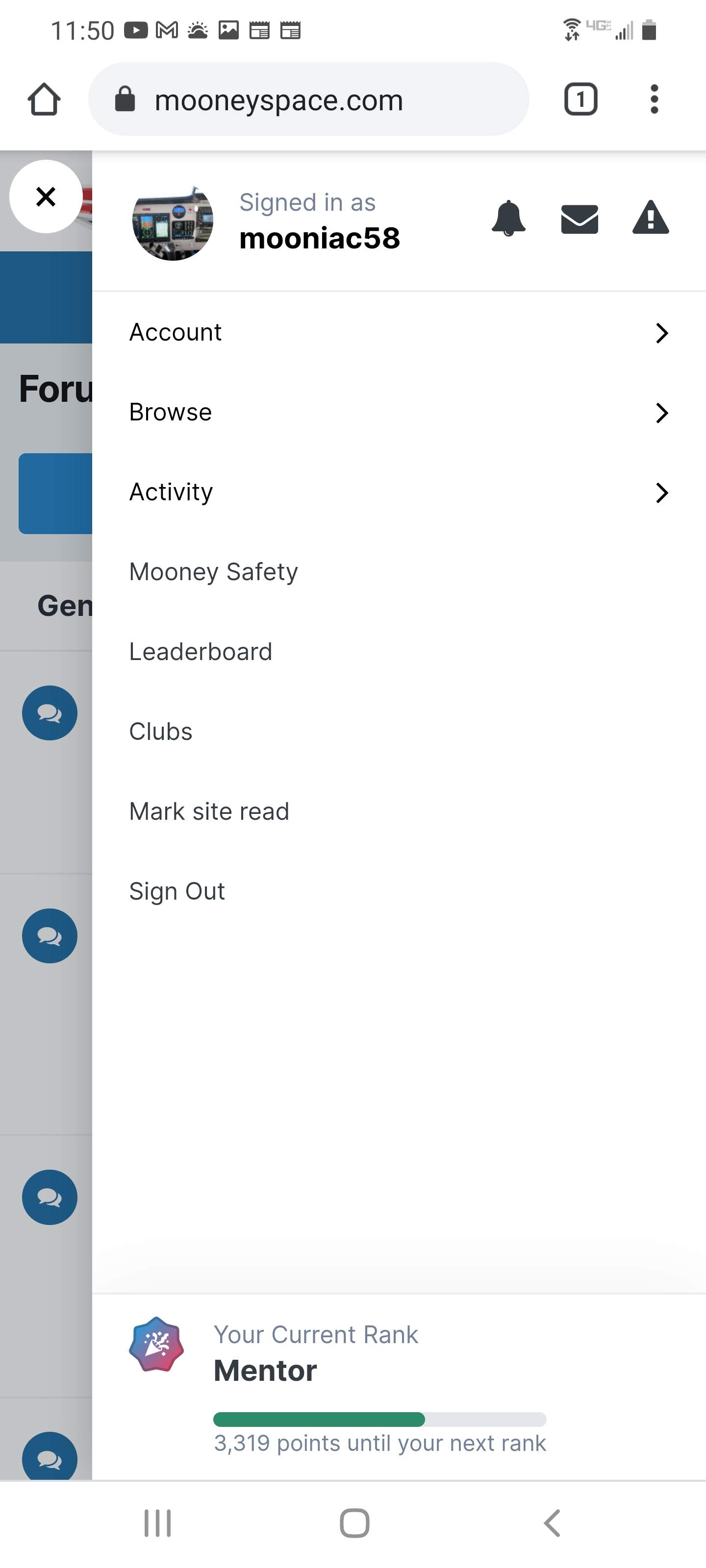
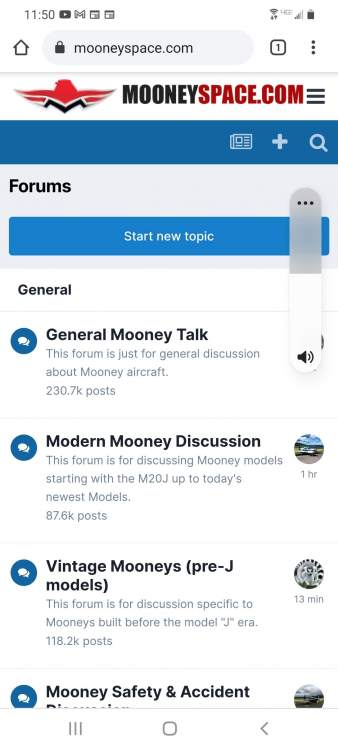
I will look into this. I think I need to reload the site theme - that fixed this the last time anyways. Also - I don't think the mobile version of the site is supposed to have the notification icon visible. However, there is supposed to be a set of "hamburger" bars to the right of the site logo. Like shown here:

-
Ok, I think I fixed it by installing the version before the latest one available. Please let me know what you see. I tested it on my phone with the Tapatalk app and it seems to be working.
-
Ok, I tried to install the latest version of Tapatalk on the forum and it failed. I have submitted a support ticket with Tapatalk and they say it could be up to 72 hours until I get help. Hopefully this will be fixed soon!
-
I will look into this. I did an update to a new version of the forum software a few days ago. I might just need to re-install the Tapatalk plugins.
-
@Speed Merchant I show that your account was upgraded on 6/17 - you should be able to post in the classifieds now. Thanks! Craig
-
You should have unlimited PMs from what I can see. What is happening exactly?
-
You are all set now. Sorry for the delay but the process for upgrading accounts is a manual one for me so it can take up to 12 hours or so worst case. Thanks for the support!
-
Yes, it is legit. I just sent these out today. Thanks for checking! Also note that the membership expiration emails will go out to whatever email you used for PayPal and not your MS email on file. Craig
-
Thanks!
-
I am sorry Seth but I don't see any way to do that. I don't have any special options as the administrator either.
-
How NOT to Solicit Charitable Contributions - Debunked!
mooniac58 replied to Jeff_S's topic in General Mooney Talk
If you need help recovering your old account feel free to contact me. Thanks! Craig